TrailheadのAgentforce DX を使用したエージェントを作成を試してみました。

さっそくですが、このDramforce2025でまた新しい作成エクスペリエンスが発表されたとのことで、もっと作りやすい環境が登場しているみたいです。今回はこういうやり方もあったというくらいでの学習となりそうです。

まずはAgentforceが使えるDeveloper Edtionの作成。(最近、作成処理を開始してから利用可能になるまでけっこう時間がかかるようになった気がします。)


組織の用意ができたらEinstein と Agentforce を有効化します。


VSCodeで開発環境を設定する
Salesforce CLIを使える状態を用意してSalesforce DX プロジェクトを作成。



プロジェクト作成後はSalesforce組織の接続。

エージェントコマンドを表示する
Salesforce CLIでは「agent」コマンドが利用できます。sf searchコマンドを使うと利用可能なコマンドをチェックできます。

「sf agent generate agent-spec -h」というように -h をつけるとコマンドの詳細が確認できます。

エージェント仕様を生成する
次のコマンドで生成できます。
sf agent generate agent-spec


処理を進めるとagentSpec.yamlファイルが作成されます。specsフォルダの中に格納されています。

エージェントを作成する
次のコマンドで生成します。
sf agent create --spec specs/agentSpec.yaml --name "Resort Manager"
ここでエラー。「Failed to create agent: Error generating agent definition. No topic drafts found or generated to build agent with type Customer」

一つ、Agentforce エージェント設定ページで、「Agentforce (デフォルト) エージェントを有効化」をONにするのを忘れていたのがわかったのでこのタイミングでONにしました。

検索すると同様のエラーに関する情報が見つかりました。

https://trailhead.salesforce.com/ja/trailblazer-community/feed/0D5KX00000bFGWG
topicsのところを手で直すというのが結論っぽい。以下で動きました。
agentType: customer
companyName: Coral Cloud Resorts
companyDescription: Coral Cloud Resorts provides customers with exceptional
  destination activities, unforgettable experiences, and reservation services,
  all backed by a commitment to top-notch customer service.
role: The resort manager fields customer complaints, manages employee schedules,
  and generally makes sure everything is working smoothly.
maxNumOfTopics: 5
enrichLogs: false
tone: casual
topics:
  - name: Employee Schedule Management
    description: Manage and optimize employee schedules.

これで以下のようなファイル作成されていることを確認できます。

プレビューコマンドも実行してみました。
sf agent create --spec specs/agentSpec.yaml --name "Resort Manager" --preview
Resort_Manager_Preview_2025-12-07T08-34-11.160Z.jsonファイルが生成されてエージェント情報を参照できました。

Developer Edition 組織の Agentforce Builder UI でエージェントを開く
オープンコマンドがあります。これをつかえばすぐにそのエージェントの設定画面にアクセスできます。
sf org open agent --api-name Resort_Manager


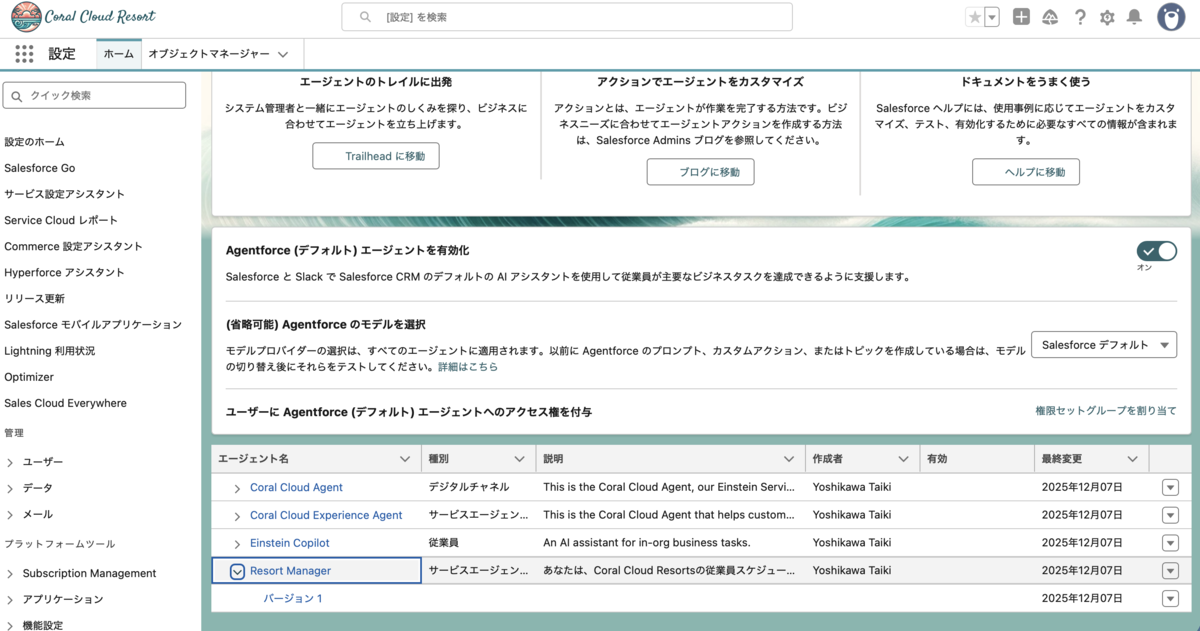
設定ページに存在していることを確認できます。勝手に有効化はされていないみたいです。